ColabzColabz
FeaturesStudiosPricingToolsHow It Works
Log inGet started

What's new

Every product update, new feature, and improvement.

RSS feed

May 2026

May 2026

NewMay 12, 2026

Shots: four AI-directed product photos from one upload

Upload your product once, get four studio-quality shots back with different angles, lighting, and composition. No prompting required.

Shots: four AI-directed product photos from one upload

Most people building product pages don't want to write prompts. They want photos.

Drop one product image into Shots and you get four directed photos back: different angle, lighting setup, and composition for each. Behind the scenes it's one parent generation with four children, so the variants stay linked and you can re-run the set.

Best for products with a clear hero angle. If you want maximum control, the regular generator is still where you'll spend most of your time.

Try it
ImprovedMay 12, 2026

Library is now Assets, with favorites

Every generation and edit lands in Assets automatically. Star the keepers. Nothing to organize manually.

Library always felt like a separate place you had to remember to visit. Assets is the same surface, renamed, but it now materializes itself: every generation and edit shows up without you doing anything.

Favorites came along with the rename. Anyone in the workspace can star or unstar an asset, and the favorite is visible to everyone on the team. Useful for marking final picks before export.

Try it
NewMay 11, 2026

Skin Enhancer: three retouch modes that keep the face

Soft, realistic, or imperfect. One tap, three vibes. The identity stays exactly the same.

Smoothing skin in AI tools usually flattens it into plastic. The Skin Enhancer takes a different angle: three opinionated modes that preserve identity and add back the textures most retouch tools strip away.

  • Soft: editorial look, even tone, light smoothing.
  • Realistic: balanced retouch, keeps pores and micro-detail.
  • Imperfect: documentary feel, preserves natural texture and asymmetry.

Works on portraits and on-model product shots.

Try it

April 2026

April 2026

NewApril 27, 2026

Add text overlays to any generation

Pick a template, edit the copy, export. Curated layouts for sale tags, drop announcements, banners, and more.

A text editor inside the modify flow with a small library of curated templates. Each template defines its own canvas size and layer arrangement, so the typography and spacing are already tuned. You just write the copy.

Useful for sale tags, product cards, drop announcements, and social banners.

Try it
ImprovedApril 26, 2026

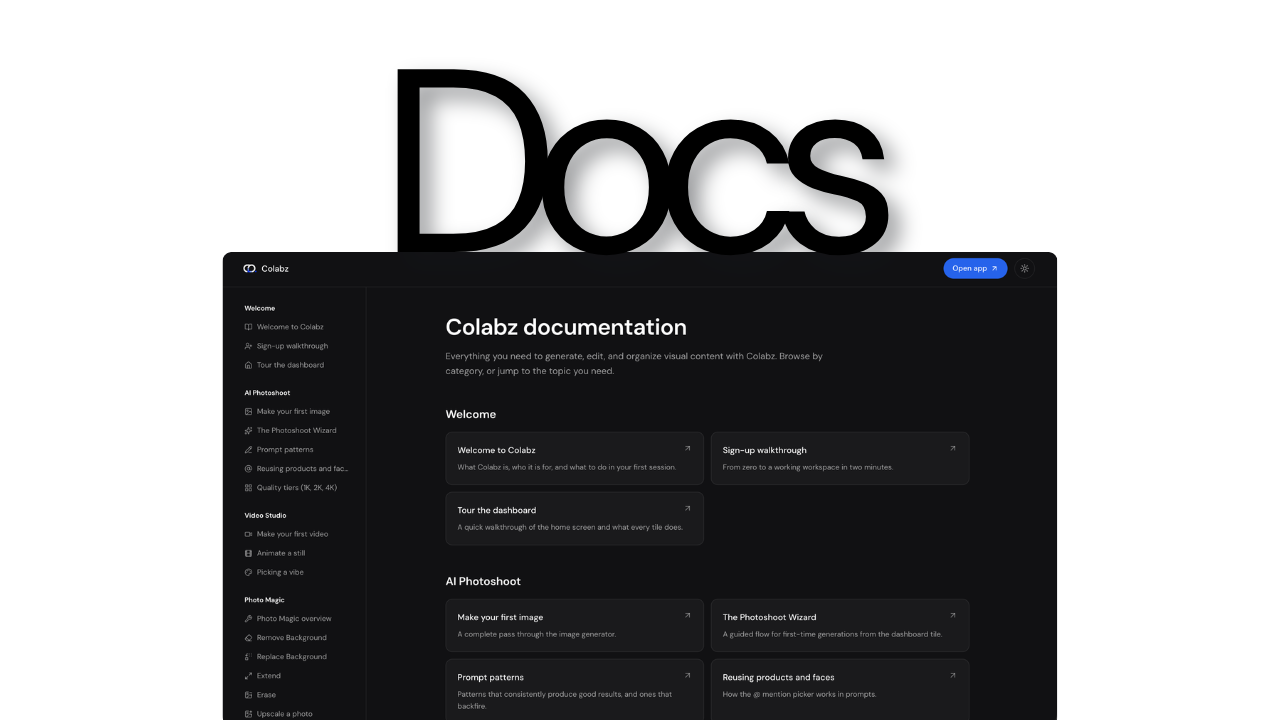
Documentation hub, fully searchable

Guides for every tool and studio, in English and Arabic, with AI search across the whole library.

Documentation hub, fully searchable

A new documentation surface with category sidebar, markdown articles, and a media library bound to docs. Every article is chunked into a vector index, so the AI chat inside docs can answer specific questions instead of pointing you to a page.

Categories are editable without code changes, so the structure can evolve as we add tools.

Try it

Ready to try Colabz?

50 free credits. No credit card required.

Start free

Shaping the Future of
Team Collaboration

© Copyright 2026

Terms of usePrivacy Policy

Company

  • About
  • Studios
  • Tools
  • FAQs

Product

  • Features
  • Pricing
  • Documentation
  • Blog
  • What's new

Compare

  • Colabz vs Kive AI
  • Colabz vs Photoroom
  • Colabz vs Pebblely

Social media

  • YouTube
  • Instagram
  • Facebook
  • LinkedIn
hey@colabz.ai
colabz